

Logging In
Follow this link: https://widma.powerappsportals.us/
On the home page Click “Sign In” in the upper right hand corner.

Login Using your MyWisconsinID information
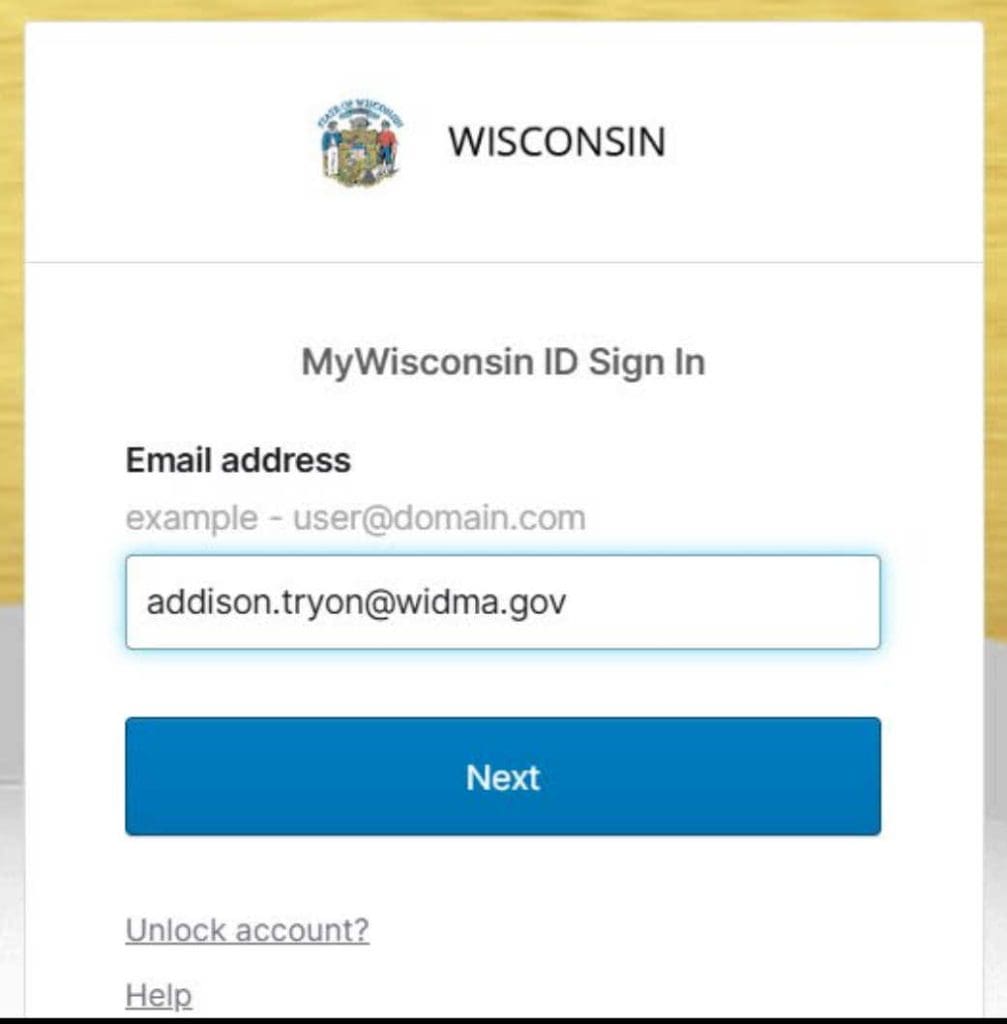
Don’t have a MyWisconsinID?
Follow this link to create one: https://det.wi.gov/pages/mywisconsin_ID_Self_Registration.aspx
Creating a Profile in the System
Click on the arrow next to your name and then click Profile from the drop down menu

Enter Your Name, Work Email and Work Phone Number
NOTE: This is the information that will be used to contact you if there are questions.

Select School Certifying Official

Select your School by clicking on the magnifying glass

1.Search for your School by scrolling OR Typing the Name into the Search box
- Make Sure the Box Next to Your School is Checked
- Click Select
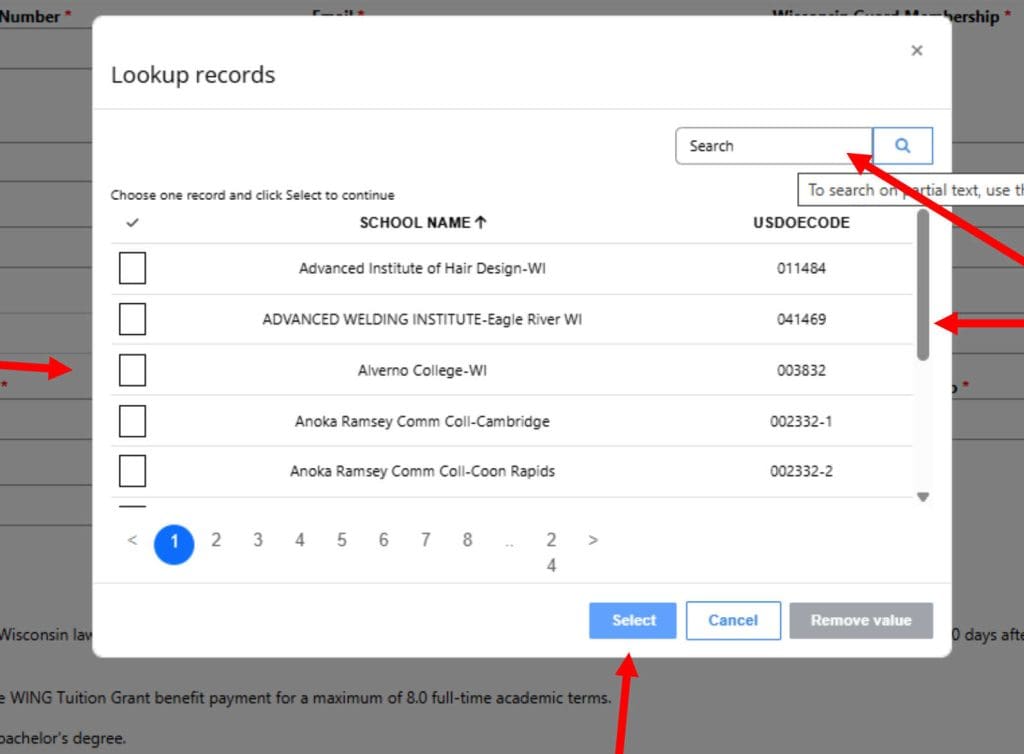
- Click Update
- Email the DMA Tuition Grant Administrator (TGA) at wingtuitiongrant@widma.gov requesting access to be approved as a school certifying official (SCO).
NOTE: If you are a new School Certifying Official you must also submit a letter on your school’s letterhead to the WING Tuition Grant Program requesting to be made a School Certifying Official.

You will get a message that reads “Your request to update your profile has been submitted successfully!” This means your request to be added as a SCO has been submitted.
You will have to wait for it to be approved by the DMA TGA before you can access any applications.
You will be notified that you were approved via a response email from the DMA TGA.

Certifying an Initial Application
Navigate Back to the Home Page and Click on List Application then select Initial Application to review Applications from Students

Click on the SSN to see an Application

When you click through, student information will open. Scroll down to the School Information section of the application.
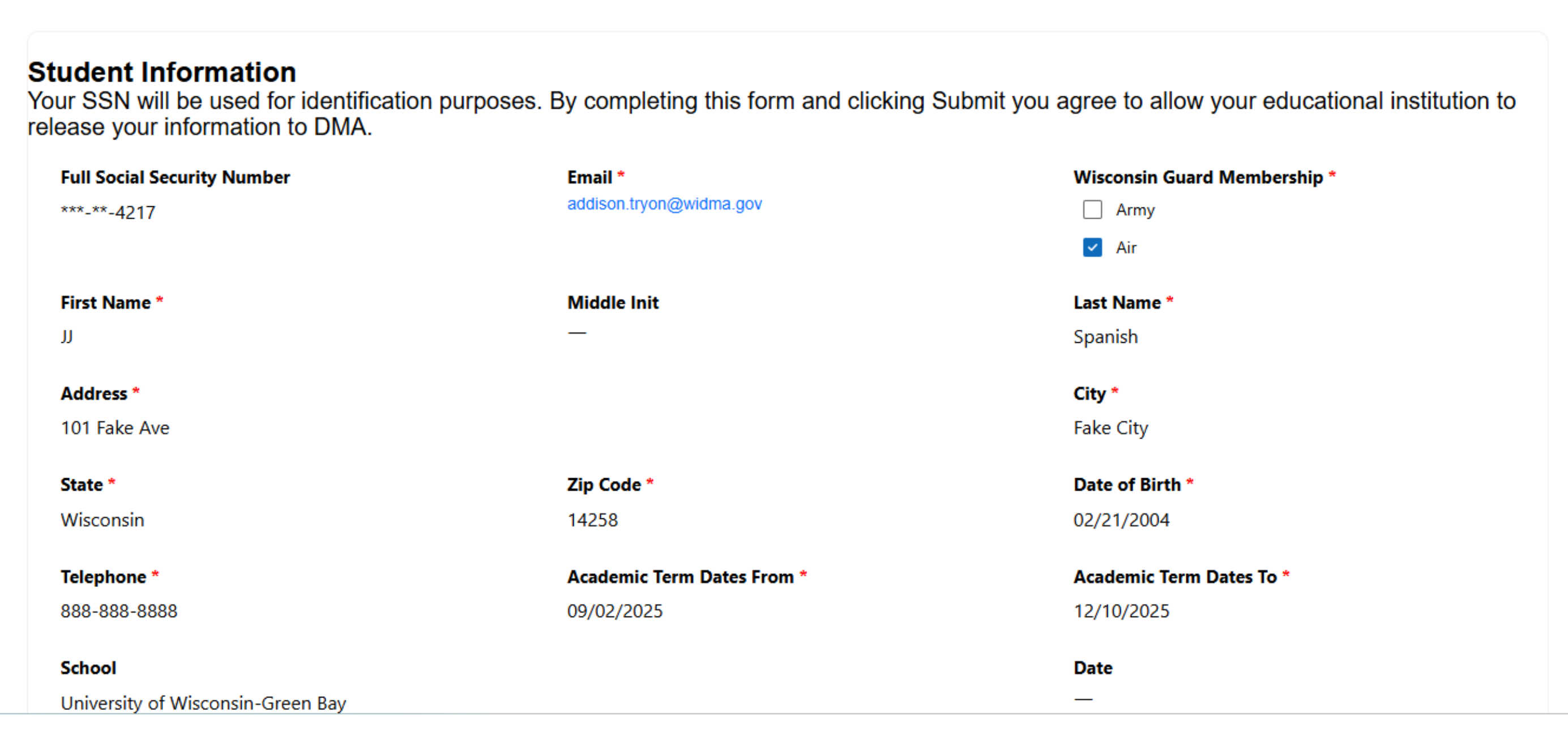
- The School Name should pre-populate. Confirm it is correct
- Select the Student’s Academic term end date either by typing it in or using the calendar symbol
Use the MM/DD/YYYY format - Select the Student’s Academic term start date either by typing it in or using the calendar symbol
Use the MM/DD/YYYY format

- Enter the number of credits the student is taking this academic term
- Enter the tuition amount charged to the student for this academic term
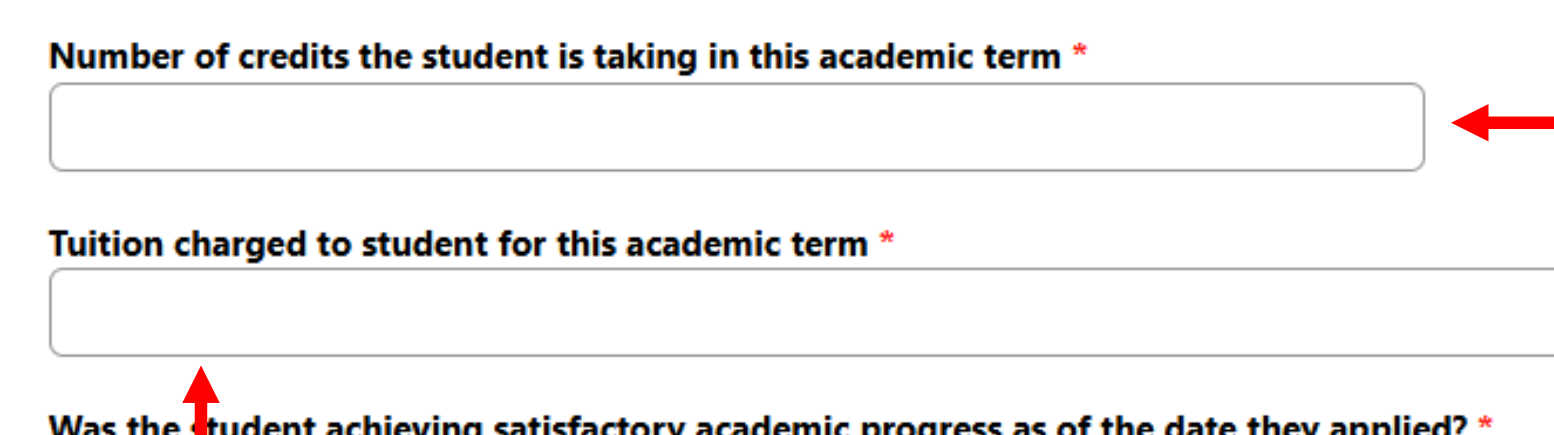
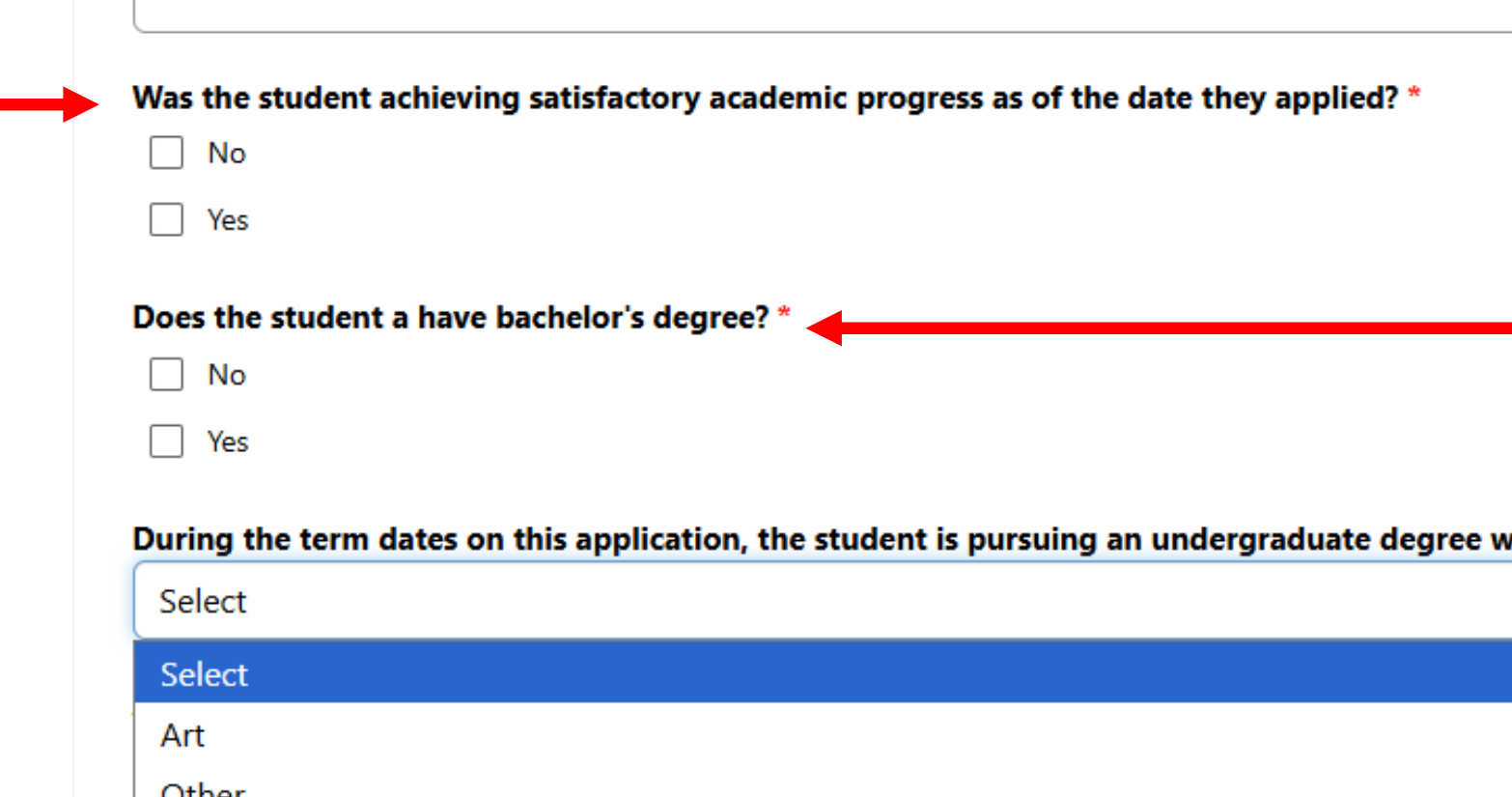
- Identify whether the student is achieving satisfactory academic progress as of the date they applied
- Identify whether the student has a bachelor’s degree
- For the term dates on this application, select from the drop-down menu the degree specialty the student is enrolled in that is a like program to one offered at UW Madison.
Lists of the majors in each degree specialty with an applicable tuition differential can be found online here: https://www.wisc.edu/
NOTE: Pre-program classes, including mandatory prerequisite classes, are not considered a part of that program.
- Type in your name
- Type in your work phone number
- Click Submit
- OR click Student is not in this school if the student is not in this school

The Initial Certification of the Student’s Application has Been Completed Successfully. Go Back to Initial Applications Queue to Certify Another Using the List Application Menu
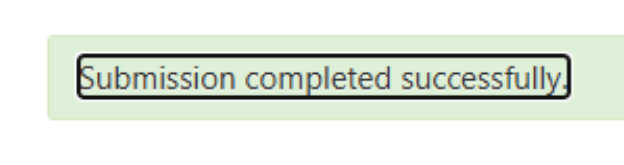
NOTE: The application you certified will no longer be in the queue. You will not be able to access it again or see what you entered.
Questions?
Contact the DMA Tuition Grant Administrator:
Email: wingtuitiongrant@widma.gov
Phone: 608-242-3159